Extron electronics 64 Series Guia do Utilizador Página 78
- Página / 146
- Índice
- MARCADORES

- User Guide 1
- Safety Instructions 2
- FCC Class A Notice 3
- Specifications Availability 4
- Contents 5
- DMP64 • Contents vi 6
- Introduction 7
- Features 8
- DMP64 • Introduction 3 9
- DMP64 Application Diagram 10
- Installation 11
- Tools > Save 12
- DMP64 • Installation 6 12
- ATTENTION: 13
- DMP64 • Installation 8 14
- Hardware 15
- Operation 15
- Front Panel Operation 16
- Rear Panel Operation 17
- Hardware Reset Modes: 18
- Digital I/O Ports 19
- DMPSoftware 20
- Embedded Web Pages 21
- Windows-based Program Control 21
- Launch.exe 22
- Install text to its right 22
- DMP64 • Software Control 16 22
- Install the USB Driver 23
- Starting the Program 24
- Using the Program 24
- DMP64 • Software Control 19 25
- Navigation 26
- Cut, Copy, or Paste Functions 26
- DMP64 • Software Control 21 27
- Paste command to a 28
- DMP64 • Software Control 22 28
- View 29
- Window Menu 31
- Help selection 31
- Presets Drop-down 32
- Mode Buttons 32
- DMP64 • Software Control 27 33
- Level Control Blocks 34
- Processor Blocks 34
- Gain Control (GAIN) 36
- Filter (FILT) 37
- DMP64 • Software Control 32 38
- DMP64 • Software Control 33 39
- DMP64 • Software Control 34 40
- High Pass 41
- Low Pass 42
- Bass and Treble Shelving 43
- Parametric (Equalizer) 44
- DMP64 • Software Control 39 45
- DMP64 • Software Control 40 46
- Feedback Suppressor (FBS) 47
- FBS Settings 48
- FBS Dynamic Filters 49
- FBS Fixed Filters 50
- Dynamics (DYN) 51
- Automatic Gain Control (AGC) 52
- Compressor 53
- DMP64 • Software Control 48 54
- Noise Gate 55
- Delay (DLY) 56
- Ducking (DUCK) 57
- Ducking Configuration 58
- Ducking Priority 59
- Priority 59
- Ducker Tutorials 60
- Pre-mixer Gain (GAIN) 61
- Line Output Channels 62
- Calibrating Loudness 63
- Setting Loudness “By Ear” 63
- Delay Block (DLY) 64
- Filter Block (FILT) 64
- Dynamics Block (DYN) 64
- Volume Control (VOL) 65
- Virtual Bus Returns 66
- Primary Mix Matrix 67
- Mix-point Behavior: 68
- DMP64 • Software Control 63 69
- Mix-point Examples 70
- DMP64 • Software Control 65 71
- DMP64 • Software Control 66 72
- Secondary Mix Matrix 73
- DMP64 • Software Control 68 74
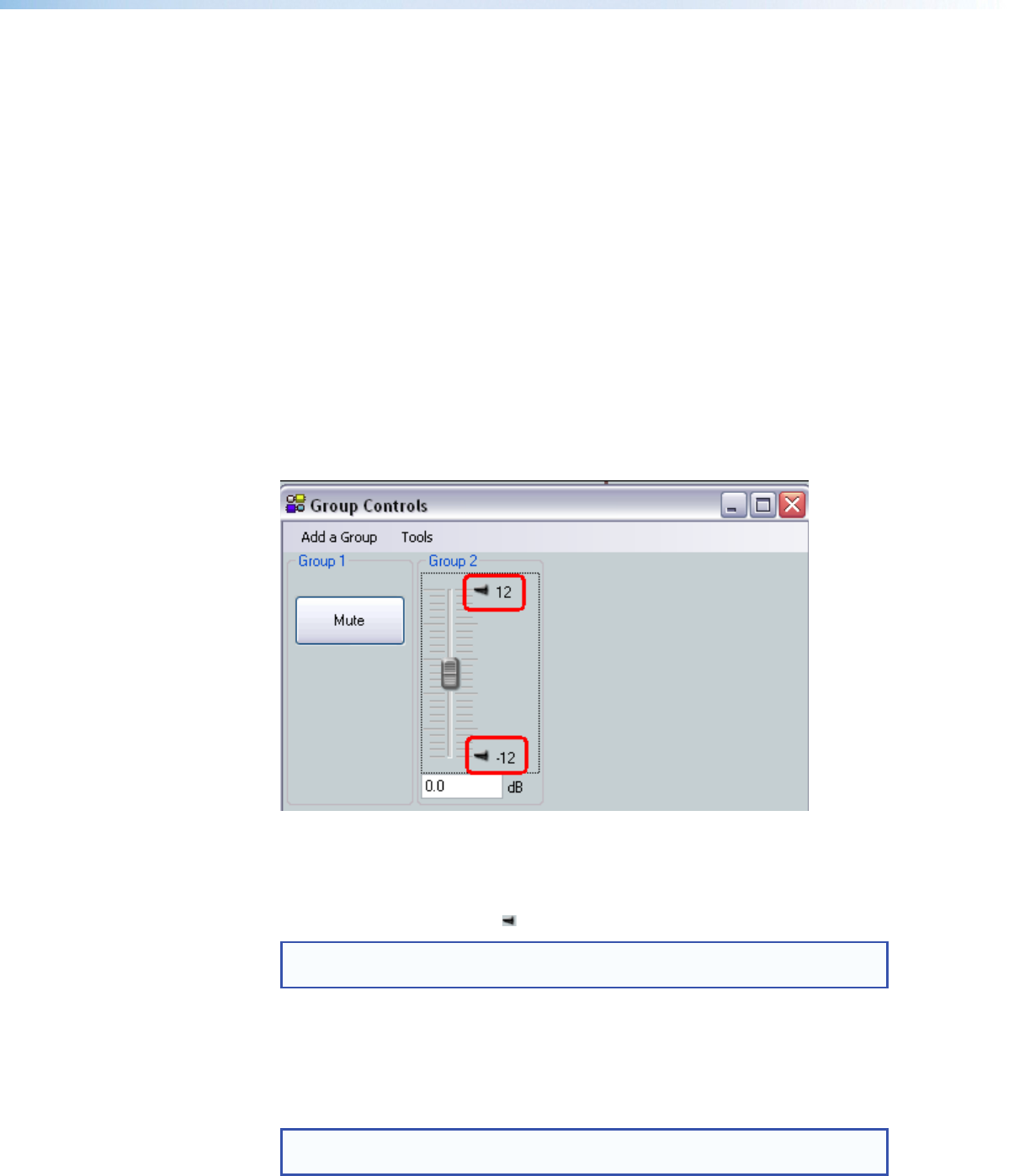
- Group Masters 75
- DMP64 • Software Control 70 76
- Configuring a Group Master 77
- Deleting a Group Master 78
- Add a Group 78
- Clear All Groups 79
- Increment/Decrement Simulator 79
- Soft Limits 80
- Emulate Mode and Live Mode 82
- Extron USB device 83
- DMP64 • Software Control 79 85
- Building a Preset 88
- Managing Presets 89
- Protected Configuration 90
- Keyboard Navigation 91
- File menu opens. When 92
- DMP64 • Software Control 86 92
- DMP64 • Software Control 87 93
- Optimizing Audio Levels 94
- About Setting Gain Structure 95
- Setting Input Gain 95
- Adjusting Pre-mixer Gain 96
- Setting Output Gain Structure 96
- Adjusting Trim 97
- SIS Programming 98
- RS-232 Ports 99
- USB Port (Front Panel) 99
- Ethernet (LAN) Port 99
- Verbose Mode 100
- Host-to-device Communications 101
- Error Responses 102
- Telnet Web Browser 103
- ASCII Hex Unit response 103
- Response 104
- Command ASCII command 104
- URL Encoded 104
- Additional 105
- X3& 107
- Additional description 108
- Special Characters 110
- Main Mix-Point 114
- Virtual Return Mix-Point 114
- Table 2. Mix-point Gain Only 115
- — Mix-point gain ( 115
- ), and Post-mixer trim ( 115
- ) level values 115
- ) level values, (continued) 116
- Table 4. Mix-point Gain Only 117
- HTML Operation 126
- Connect to 192.168.254.254 127
- Status Tab 128
- Configuration Tab 129
- Date/Time Settings Fields 131
- Passwords Page 132
- Firmware Upgrade Page 133
- DMP64 • HTML Operation 128 134
- Run twice (see figure 69 135
- DMP64 • HTML Operation 129 135
- File Management Tab 137
- Control Tab 138
- DMP64 • HTML Operation 133 139
- Group Controls Page 140
- Reference Information 142
- File>Open 143
- File>Exit to exit the 143
- DMP64 Hardware Reset Modes 144
- Mounting the DMP64 145
- Contact Information 146
- Extron Warranty 146
© 2020, manymanuals-pt.com. Todos os direitos reservados. | 0.037 s |
 Manymanuals.com
 Manymanuals.de
 Manymanuals.fr
 Manymanuals.it
 Manymanuals.pl
 Manymanuals.cz
 Manymanuals.es
 Manymanuals-pt.com
Comentários a estes Manuais